

Best Face Swap & Deepfake Generators: Top AI Tools for Realistic Face Replacements (2025)
Deepfake incident increased by 179% in the first quarter of 2025 and the global market AI deepfake market is projected to reach $7.27 billion by 2027. Something that required advanced editing skills and expensive software can be done in minutes with these AI-powered deepfake generators.
These tool are very much capable of performing face swaps, full body reenactments, attribute manipulations, which can be legitimately used for creating realistic identity replacements, character puppeteering, and twin AI avatars. In fact, these tools have already been applied across industries. Marketers have been extensively using it for personalized campaigns whereas filmmakers apply facial reenactments for stunt doubles and educators use it to create avatars for training and tutorial purposes.
Having said that the rise of deepfakes has also increased the risk of unethical use and safety concerns. Thus, it is essential that platforms maintain strict policies and regulation. And as a consumer, we need to be careful enough to choose platforms that is complaint with the policies, takes accountability of responsible use and applies watermark and other safety measure to prevent misuse.
Well, in this guide, I have personally tested some popular AI deepfake generator tools and compared them based on several metrics like features, output quality, price, and ethical consideration to help you find the best AI deepfake generator tools for you.
Important Note: This guide focuses exclusively on legitimate, creative applications of deepfake technology. We strongly advocate for ethical usage, proper consent protocols, and compliance with applicable laws and platform policies when using any deepfake generation tools.
What is an AI Deepfake Generator?
An AI deepfake generator is a type of software that uses deep learning models such as Generative Adversarial Networks (GANs), autoencoders, or latest diffusion models to create synthetic content. The neural rendering algorithms in these systems produce highly realistic human faces, voices and complete body reenactments through their deep learning architecture. These generators are trained on vast datasets of real images and audio to fabricate content that is indistinguishable from the original footage.
The deepfake generating platforms achieve improved performance in identity swapping, voice creation & manipulation through their iterative training process which exceeds traditional editing capabilities.
Types of Deepfakes
There are different kinds of deepfakes in the market which are created using different deepfake tools. Here is the list of some of the most popular types of deepfakes.
- Face Swapping (Identity Replacement): Deepfakes in this category replace one person’s face with another in visual content while keeping their skin tone, facial expressions, body movements exactly the same.
- Facial Re-enactment (Puppeteering): In these types of fakes facial expressions and movements are transferred from a source actor to a target face for creating realistic puppeteering effects.
- Attribute Manipulation: This refers to the kind of deepfake where specific attributes such as age, hairstyle, or facial features are edited without changing the core identity of the person.
- Lip-Syncing Deepfake Generators: In these fakes, videos and images of individuals are manipulated to say things they never said using lip-syn technology using artificially created audio track.
- Full-Body Re-enactment: These tools are designed to replicate full body posture and gestures from source to the target person.
- Real-Time Deepfakes: These are fakes where face swaps and expression transfer are done during a live calls, where person on the call pretend to be someone else. Real-time deepfake tools can be seamlessly integration into video calls, live streams, and interactive applications
- Synthetic Face & Avatar Generators: These are new digital faces and avatars which people use to create hyper-realistic content for video production.
How I Evaluated These Tools?
I ran all deepfake generators through the same set of images and short video clips to maintain equal conditions for comparison. I evaluated each tool based on their technical quality, audio realism, control, safety measures and overall value.
- Occlusion Handling: I evaluated each tool by assessing its ability to handle face obstructions like hands, hair, and glasses that blocked facial areas.
- Temporal Coherence: Was the tool able to keep the identity, lighting, and motion stable across frames with minimal flickers, and texture loss in the final output?
- Identity Leakage: Tools were checked for cross-identity contamination, such as traces of the source face bleeding into the target.
- Spatiotemporal Consistency: I evaluated the video for three aspects which included frame accuracy & stability, movement coherence and sequence transition smoothness.
- Artifact Minimization: Were there any flaws like unnatural blending, checkerboard textures, or uncanny valley artifacts?
- Expression & Phoneme Synchronization: I tested how accurately mouth shapes (visemes) matched their corresponding speech sounds and their correct timing and the emotional expressions during lip-syncing.
- Controls & Editability: I examined the flexible options creators had when working with masks, region tracking, keyframe editing and batch/API options.
- Privacy, Safety & Compliance: Did the tool provide watermarking and disclosure settings, consent workflows, biometric retention policies, and whether platforms aligned with SOC 2/GDPR standards? Terms of service were reviewed for content safety guarantees.
- Cost & Limits: Lastly, I conducted a final evaluation to test the cost per minute of final video output and also assessed the free-tier restrictions, watermark rules and credit & model capacity.
Since I have explained my evaluation process, let’s now find out the best tool for different use cases.
Vidmage AI: Best For Face-swapping (identity Swap) Online
Vidmage.ai is best for social media content creators and marketers who require quick and authentic face-swapping solutions for their TikTok videos, reels and advertising content. The platform is also suitable for casual users who want to use it for fun and creating memes and Mac users who want local rendering for privacy protection.
Test Clip
Key Features & Differentiators Of Vidmage AI
- Face-Swap Quality: Its AI engine tracks facial points, expressions, and lighting to create face swaps that look realistic swaps with outputs up to 4K resolution.
- Multi-Face & Partial Swaps: Vidmage allows swapping up to four faces per frame along with partial swaps where users can skip or performs swaps for specific regions like eyes, mouth, & nose.
- Batch Processing: Vidmage’s batch processing lets users perform face swap on up to 30 photos at once.
- Cross-Platform: Can be used in your browser for quick access, or on a Mac app for offline and more private rendering.
- Motion & Expression Sync: Its automatic blending feature allows emotions like smiles, raised brows transfer smoothly.
- Privacy-Oriented: Its local Mac app ensures sensitive media never leaves the device.
Pricing
- Free Tier: $0/month, with daily limits (15 images, 30s video, 2 GIFs) and watermarked outputs. Web only.
- Monthly Plan: $9.99 (first month), then $14.99/month. Includes 400 credits, watermark-free exports, 4K video.
- Yearly Plan: $69.99 for first years if billed annually (~$5.83/month) then $99.99. Includes 4,800 credits, full Mac app access, unlimited previews.
- Credit System: 1 credit = 1 image or 1 second of video processing. Transparent and easy to calculate cost.
Safety & Compliance
- Privacy: Mac client processes data locally; web uploads require consent. Data retention policy not fully transparent.
- Watermarking: Free outputs visibly watermarked; paid plans include invisible forensic markers to flag AI-generated content.
- Ethical Use: Explicit guidelines require user consent for uploads; ToS prohibits malicious or illegal content.
- Compliance: No evidence of SOC 2/GDPR certification. Best for personal or creative use; riskier for enterprise-level needs.
Users’ Opinion
To get a better idea about how Vidmage AI is perceived in the market, I consulted a few users and checked some online forums like Reddit. Well, most of the users I consulted had positive reviews about the tool. People on Reddit emphasize on the ease of use of the tool and the rendering speed. One of the users even focused on tools’ capability of handling the tricky parts like motion, occlusion, and lighting shifts better than other tools they tried. Also one user stated that blending looks smooth even when the subject turns their head or when the clip has natural light changes. However, a few users of vidmage stated the the main downside being the lack of advanced editing options making it not useful for professional VFX users.
My Experience
To test Vidmage.ai, I ran a short video of a woman blinking and moving her lips, swapping in Scarlett Johansson’s face. The tool was able to perform the swap and blended the face convincingly while also preserving the core identity. However, the swap was nothing close to a professional VFX standards and I could notice minor artifacts around the inner lip and teeth boundary. Also, there was a slight desynchronization with eye blinks, but subtle cheek, chin, and eyebrow movements were captured with impressive temporal coherence.
I also tested occlusion handling with a clip where the subject covered part of her face with her hand. And Vidmage was pretty much able to reconstruct the hidden regions surprisingly well, while also maintaining spatial consistency. Compared with alternatives like AIFaceSwap.io, GoEnhance AI, and Akool, Vidmage delivered far fewer artifacts, stronger identity preservation, and more stable results.
Though the tool is not flawless, Vidmage.ai provides fast, accessible, and realistic face swaps that are more than sufficient for social media and marketing projects. For the effort required, its performance makes it one of the best face-swapping deepfake generators available today.
Vidmage.ai as a face swap tool definitely has some flaws but it provides realistic results which work well for social media and marketing applications. Also, the tool is affordable compared to the features it provides making it as one of the leading face-swapping deepfake generators available in the market.
D-ID: Best AI Deepfake Generator for Facial Re-enactment (Puppeteering)
D-ID is best for creators and enterprises that need realistic puppeteering from a single portrait. Its driver-puppet system makes it ideal for interactive avatars, dubbing, education, and AI agents.
Test Clip
Key Features & Differentiators
- Driver-Puppet Mapping transfers expressions, head movements, and speech patterns from a video onto a target portrait.
- Motion & Occlusion Maps reconstruct hidden areas (like inside the mouth or under glasses) for natural continuity.
- Multi-Scale Fusion maintains strong temporal coherence with minimal flicker.
- Expression & Phoneme Sync supports over 120 languages. However, its lip-sync capability is slightly behind HeyGen in precision.
- Real-Time API delivers low-latency rendering up to 100 FPS, ideal for live AI agents.
- Integrations include Creative Reality™ Studio, plugins for PowerPoint and Canva, and a robust REST API.
Pricing
- Free Trial: Offers around 14 days free trial with up to 5 minutes of video generation with watermark.
- Studio Plans: Lite $4.70/mo (10 mins), Pro $16/mo (15 mins), Advanced $108/mo (100 mins).
- API Plans: from $14.40/mo (64 credits) to $138.60/mo (800 credits).
- Enterprise: Customized offer as per the requirement of the client.
Safety & Compliance
D-ID follows all required security and privacy standards through its SOC 2 Type II and ISO 27001/27017/27018/27799/42001 certifications which protect user data. The platform’s terms of service enforce ethical use through automated content moderation and user reporting mechanisms which prohibits non-consensual, hateful, p*rnographic and harmful deepfakes.
User’s Opinion
D-ID’s Facial Reenactment features mostly have positive reviews on major forums. Product Hunt reviews (4.7/5) call outputs “incredibly smooth and natural.” Likewise, G2 praised its expression transfer despite the minor artifacts appear with extreme expressions, making it the best AI tools for reenactment realism.
My Experience With D-ID
D-ID achieved outstanding results in both expression transfer and temporal stability according to my testing experience. The system produced stable output when glasses or other occlusions appeared in the scene while creating minimal distortion. It was able to deliver the most reliable reenactment results because of its excellent identity preservation and spatiotemporal coherence however it had minor issues with export latency and extreme facial expressions.
FaceApp: Best Attribute Manipulation Deepfake App For Android And IPhone
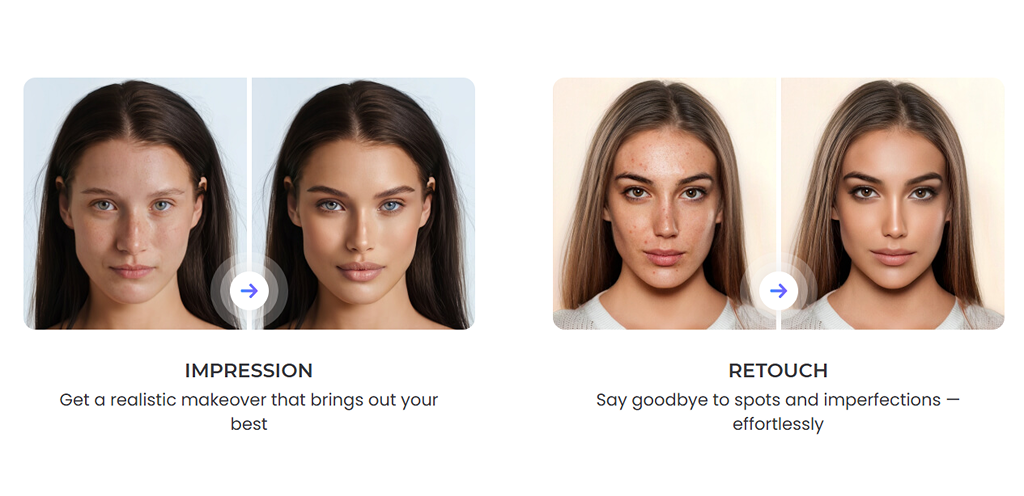
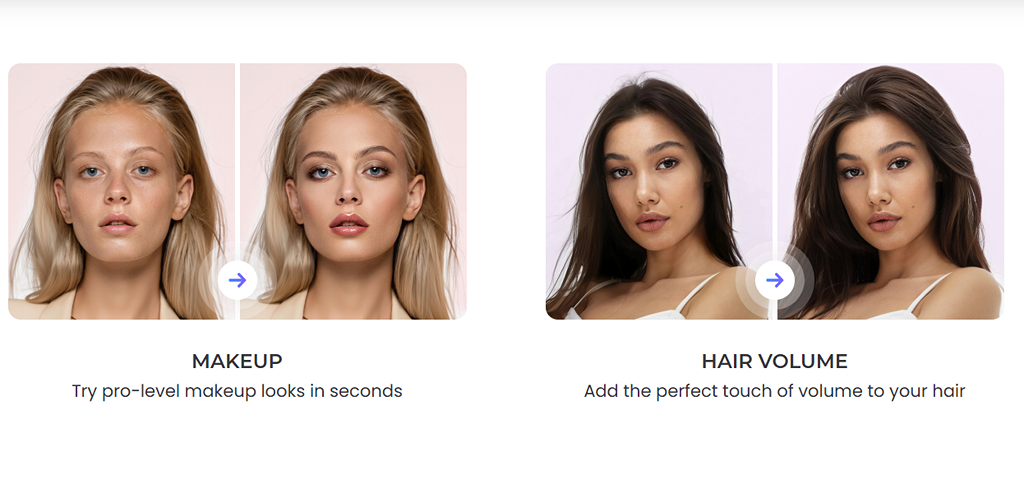
FaceApp is primarily designed for android and IOS users who want to create aging effects, gender transformation, style transfers and other similar entertainment oriented deepfakes. Social media creators, influencers & casual users are the primary consumer of this attribute manipulation app.
 Use FaceApp as a Deepfake Tool For Android And Apple
- Use FaceApp as a Deepfake Tool For Android And Apple
Key Features & Differentiators of FaceApp
- Age Transformation with realistic wrinkles, gray hair, and age-appropriate skin tones.
- Gender Swap: Capable of producing alternate-gender versions that still resemble the original identity by preserving bone structure and proportions.
- Hairstyle & Makeup: Transforms hair color, cosmetic effects, and fashion trends seamlessly.
- Expression Editing: Smile and expression editing for emotion shifts.
- Background & Lighting Adjustments: Auto-relighting and blending for coherent scenes.
- GAN-Based Blending: Reduces artifacts such as floating hair or plastic skin effects.
- On-Device Processing: Lead to improved latency and user privacy.
Pricing
- Free tier: basic filters, ads, watermark on exports
- Pro: $3.99–$10/month or $19.99–$100/year
- Lifetime license: $39.99–$99.99
- Enterprise Licensing – Custom API access for campaigns and bulk processing.
⚠️ Note: Pricing is inconsistent across regions and promotions, leading to user complaints about billing transparency.
Safety & Compliance
- Only the selected photo is uploaded and is cached temporarily and deleted within 24–48 hours.
- The company claims that user photos are not used to train AI models.
- Most edits run locally and heavier filters use AWS/Google Cloud servers in the U.S.
- The company claims GDPR/CCPA compliance and SOC 2 standards; age restriction set at 13+.
Users’ Opinion
FaceApp mostly has positive response among the audience mostly for its ease of use and interesting features. While the overall feature is praised, it is criticised for its limited customization controls and subscription costs.
My Experience With FaceApp
FaceApp is very focused towards providing attribute manipulation features and considering its simplicity, i think it is the best tool in the market. It not only has most of the attribute manipulation features like AI added wrinkles, gray hair, texture changing capability but it does so while maintaining the core facial identity. The result mostly feels natural rather than template-based.
When testing the tool, I noticed Artifact control was excellent. Likewise, there were no floating hair or plastic skin effects, even when layering multiple filters (aging + hairstyle). Similarly, lighting and shadows stayed consistent.
However, I think there were slight issues with temporal coherence in a few selfies which I clicked. Overall, I liked FaceApp specifically for its attribute manipulation capability.
HeyGen: Best For Realistic Lip-Syncing & Full-body Re-Enactment Deepfakes
HeyGen delivers the most precise lip-sync technology suitable for teams and independent creators who need high definition lip-sync videos, without much technical expertise. The platform generates authentic results for marketing explainers, multilingual dubbing/localization projects, training content and YouTube talking-head videos.
Test Clip
Key Features & Differentiators of HeyGen
- Precise Viseme-Phoneme Alignment: HeyGen’s AI analyzes uploaded audio or text and matches mouth shapes (visemes) accurately to spoken phonemes for realistic speech movement, even at fast or varied speech rates.
- Multi-Language Lip Sync: Supports over 170 languages and accents, including dialect nuance; mouth movements automatically adjust for language-specific phonetics and rhythms.
- Emotional Expression Integration: Avatars reflect vocal tone, inflection, and emotion, smiles, frowns, eyebrow movements, and non-verbal cues are synchronized with audio for expressive realism.
- Batch Video Translation & Sync: HeyGen auto-translates, dubs, and generates corresponding lip-synced mouth motions.
- Streaming Avatar (Real-Time Mode): Features live lip sync for video calls or presentations; mouth movements update instantly as you speak.
- Gesture Syncing: Body and facial gestures (e.g., head nods, shoulder movement) can be added or prompted to match speech emphasis and timing.
- Artifact & Glitch Minimization: HeyGen is tuned to avoid ghosting, lip misalignment, and unnatural mouth movement even under varied lighting or accents.
Pricing
- Free: 3 min/month, watermark, 720p, limited avatars
- Creator: $24/month (annual) or $29/month, videos upto 30 min, no watermark, 1080p export, premium avatars
- Team: HeyGen Team plan starts at $39/seat/month (or $30/seat/month if billed yearly), and includes 2 seats by default.
- Enterprise: Custom; unlimited duration, SLA/white-label, advanced security.
Safety & Compliance
- Certifications: GDPR + SOC 2 Type II.
- Data: AWS US hosting; opt-out from model training available.
- Biometrics: Explicit consent required for face/voice uploads.
- Provenance: Free outputs watermarked; member of C2PA.
- Misuse controls: Strict ToS; bans non-consensual, hateful, p*rn, political deepfakes. Has both automated and human moderation.
Users’ Opinion
HeyGen holds a 4.8/5 rating on G2 with hundreds of reviews. Most users are positive about its realistic lip-sync, multilingual dubbing, and ease of use. However, the major complaints are around pricing and the fact that avatars can sometimes feel a little stiff, with limited advanced editing controls. Having said that, a lot of the users still choose HeyGen for its fast, accurate lip-sync video generation.
My Experience With HeyGen
To be honest, HeyGen ranks at the top with its closest competitor being far behind it in terms of its lip-sync capabilities. I tried an AI-generated portrait to test its capability and HeyGen delivered convincing phonemes–viseme matching, tight temporal alignment, and spatiotemporal consistency across shots.
The tools even excel at micro-expressions like eye blinks, facial muscle shifts and body language matching it with the voice’s tone better than its rivals I tested. Occlusion resilience held up unless the mouth was nearly covered. Moreover, even the free tier produced results are pretty accurate. For pure lip-sync performance, HeyGen is my go-to.
DeepFaceLive: Best For Real-Time DeepFakes Generation For Free
The free open-source software DeepFaceLive allows Windows users to perform real-time face swapping. The GitHub repository for DeepFaceLive exists in read-only mode but users can access release files and documentation. The software requires a DirectX 12 GPU from NVIDIA or AMD to function at 720p and 1080p resolutions with a minimum 4-8 GB VRAM for optimal performance. The software allows users to distribute their output to both OBS and VirtualCam.
Key Features & Differentiators of DeepFaceLive
- Two ways to swap: Use DFM models you trained in DeepFaceLab for the most realistic, stable results, or try the single-photo (InsightFace) mode when you just need a quick demo.
- Solid real-time pipeline: It detects the face, tracks landmarks and head pose, aligns in 3D, then blends with blur/erosion and color/lighting match so seams are harder to spot.
- Controls & Customization: Handy hotkeys, fast model/profile switching, and on-the-fly tweaks make it easy to clean up edges or tone while you’re live.
- Integration: Routes straight into OBS/Streamlabs and out to Zoom/Teams/Discord via VirtualCam, so going live is straightforward.
- Performance is GPU-dependent: It can run at 720p/1080p in real time on modern GPUs; exact FPS/latency depend on your hardware and settings.
- Requires Setup: Compared with tools like Avatarify, DeepLiveCam, or Roop-live, DeepFaceLive takes more setup but once tuned, it’s more flexible and can look more lifelike.
Pricing
DeepFaceLive is free and open-source under GPL-3.0 thus, there are no official paid tiers or add-ons. However, you need to spend good amount of money for the hardware and electricity.
Safety & Compliance
- License: GPL-3.0 (not CC0). Repo is archived/read-only; releases/docs still available.
- Consent: Users must ensure likeness consent for streaming/content creation.
- Watermark/Provenance: No built-in watermark or auto provenance; add overlays manually if required.
- Data/Privacy: Processing is local; no telemetry noted in docs.
- Platform Rules: User is responsible; Twitch/YouTube policies apply. Non-consensual deepfakes can lead to penalties/bans.
Users’ Opinion
Redditors and most other communities have positive sentiments about DeepFaceLive. Most of the users appreciate its excellent real-time performance, tracking/blend controls and extensive ecosystem. The model functions perfectly with OBS and VirtualCam for users who want to stream or make video calls. The main drawbacks of this model however are its complex installation process and occasional VRAM and driver issues and its tendency to produce artifacts when lighting conditions are poor or when training data is insufficient.
DeepFaceLab: Best For Technical Users And Maximum Control
DeepFaceLab is an open-source software framework for creating realistic deepfakes. The software enables users to develop their entire workflow from dataset creation to model training for achieving maximum swap authenticity. Be it VFX hobbyists, creator, or filmmaker, DeepFaceLab has become the first choice because of its ability to create realistic deepfakes. Moreover, the software also works well with DeepFaceLive when you need to run your trained model in real-time operations.
Key Features & Differentiators
- End-to-end pipeline: Extract faces, train the model, then convert/merge; each and every step is tunable.
- Serious dataset tools: Robust extract/align, sorting/cleanup, plus XSeg to hand-train masks for tricky hair, glasses, or hands.
- Multiple Models: You can choose SAEHD (DF/LIAE modes) for high-fidelity work, Quick96 for fast protos, and H128/H256 as lighter options as per your requirements.
- Training control: Pick resolution (256/384/512), batch size, augments, checkpoints; CLI/ scripting makes runs reproducible.
- Conversion finesse: Merge presets with erode/blur, histogram/ color match, anti-flicker/temporal denoise to keep sequences stable.
Pricing
- Free and open source; no paid tiers.
- Real costs are GPU time/electricity and storage for datasets/checkpoints.
- Some users add paid upscalers/denoisers in post, but it’s optional.
Safety & Compliance
- Runs locally; there’s no automatic watermark/provenance, so add disclosure if your brand or platform requires it.
- You are responsible for consent and likeness rights. Platforms like YouTube/Twitch expect disclosure and can penalize non-consensual impersonation.
- Use lawful, permissioned datasets; avoid shady “pretrained packs.”
Users’ Opinion
Power users love the control they have over their workflow through XSeg and model selection. The main drawbacks however is its steep learning requirements it need for substantial VRAM resources and its extended training duration. The initial investment required for this method produces superior results than FaceFusion and Roop when users have proper data and masks.
Reface: Best DeepFake Mobile App For Easy Casual Use & Versatility
Primarily a mobile application Reface AI operates as a face-swap tool which runs on iOS and Android devices. Users can perform basic face swaps through Reface while accessing additional creative features including photo animation, AI-generated avatars, hairstyle testing, and fast meme content that users can share right away on TikTok, Instagram and other social platforms.
Key Features & Differentiators
- Face swap across photos/videos/GIFs with a constantly refreshed template library.
- Simple editor & export: Basic editing features like crop, captions, & backgrounds edits. Exports at 720p/1080p (free version adds watermark).
- Camera or gallery upload: One-tap share to social apps.
- Mobile-first workflow: Most heavy compute is handled in the cloud.
- Easy To Use: Very easy to use interface compared to most desktops and mobile based tools like FaceApp, FaceMagic or even CapCut.
Pricing
Pricing varies by region (iOS/Android) and changes often.
- Free tier: Includes ads and watermark. However, free tier is not available in every region.
- Weekly: $2.49–$14.99, depending on locale.
- Monthly: $5.99–$29.99.
- Annual: $17.99–$104.99.
- Lifetime (where offered): often $39.99 (some listings show other lifetime SKUs).
Safety & Compliance
- Rules: Bans on non-consensual s*xual imagery, hate or violence. The age limit is over 13+.
- Privacy: Policy says it may store biometric data up to 3 years.
- Disclosure: free exports watermark; no built-in provenance tag—follow platform rules if posting.
Users’ Opinion
Reface has a very good rating on both IOS and Android along with downloads in million. The tool is highly downloaded for its ease of use, speed, and fun to use deepfake features.
My Experience With Reface
Targeted towards casual user, Faceswap is pretty good at its task as well. I tested the tool for a while and it was a decent experience. I could swap into a trending clip in seconds, then export and post on any social platforms in a click. The editor is lightweight but enough for captions, or background tweaks. However, the thing I had a double thought about was the inconsistent pricing. Anyway, if you want fast, fun swaps for socials, Reface nails the casual use case.
Applications of Deepfakes
Although deepfakes has had negative sentiments in the media, it rather fulfills major necessity in the market. Below are the practical, positive use cases of deepfakes.
- Film & TV: Believable de-aging, digital doubles for stunts/pickups, cleaner ADR lip-sync, continuity touch-ups.
- Localization: Phoneme/viseme-matched dubbing so the original performer “speaks” new languages naturally.
- Marketing: Personalized videos at scale, localized variants, on-brand avatar presenters, and advertisement material generation.
- Education & L&D: Script-to-video lessons with AI hosts, explainer videos, and educational course materials.
- Museums & journalism: Ethical historical reenactments and multilingual digital docents that bring archives alive.
- Healthcare: Used in exposure therapy, pre-visualization of surgical outcomes, and more.
- Research & privacy: Controlled A/B stimuli in social science; synthetic medical images to train models without exposing patient data.
DeepFake Detection
With the advancement in AI, detecting Deepfakes is getting extremely challenging. However, there are several reliable methods that can help you manually spot manipulated content. Along with that you can also use detection tools and technical analysis.
- Look for visual and motion artifacts: Advanced AI models like CNNs and RNNs can pick up unnatural details like odd skin textures, inconsistent lighting, unusual eye reflections, or jerky movements that don’t align across frames.
- Check biological signals: Real human faces show subtle cues like blood-flow pixel changes or natural blinking patterns. Tools such as Intel’s FakeCatcher analyze these physiological signals, which are extremely difficult for generative models to replicate.
- Cross-check audio and visuals: Multimodal detection compares lip movements (visemes) with spoken sounds (phonemes). If lips don’t match the audio, it’s often a giveaway.
- Use professional detection tools: Platforms like Sensity, Deepware, and Microsoft Video Authenticator are some of the most trusted and accurate deepfake detection tools that also offer enterprise-grade APIs and real-time verification.
- Look for hidden watermarks: Some systems embed invisible signals in media (forensic watermarking) or directly inside generative models (active model watermarking) to trace the origin of a deepfake.
DeepFake Regulation
- United States: No single federal law, but fraud statutes (CFAA, FTC Act) apply. States like California, Texas, and Virginia target election interference and non-consensual deepfakes. Tennessee’s ELVIS Act protects voice and likeness rights.
- European Union: The AI Act mandates transparency, requiring AI-generated content to be clearly labeled.
- China: The Deep Synthesis Provisions and PIPL demand consent, user verification, and traceability of synthetic media.
Well, despite all these detection technologies and regulations, ethical responsibility is must when using any AI deepfake tool.
